WordPress monitoring & emergency support helps protect your site when problems appear without warning. Plugin conflicts, failed updates, traffic spikes, or security issues can bring a site down in minutes. When that happens, pages stop loading, users leave, and trust drops fast.
Most downtime does not start as a major failure. Small issues build quietly until the site breaks. Continuous monitoring combined with fast emergency support helps catch problems early, respond quickly, and keep your website stable instead of reacting after damage is done.
TL;DR
- WordPress monitoring helps you catch problems early before they break your site.
- Emergency support restores your site quickly when failures happen.
- Monitoring and fast response together reduce downtime and revenue loss.
- Stable performance protects SEO, user trust, and conversions.
- A proactive monitoring setup prevents repeat site emergencies.
What is WordPress Monitoring and Emergency Support?
WordPress monitoring tracks your website’s uptime, performance, security, and updates in real time. It alerts you when something breaks, slows down, or behaves unusually. Emergency support steps in when a serious issue happens and restores your site quickly.
A dedicated support team of WordPress experts is essential for effective monitoring and emergency support, ensuring that issues are identified and resolved by skilled professionals.

Monitoring focuses on detection. Emergency response focuses on recovery. One helps you catch problems early, the other fixes them fast. Together, they protect site stability, reduce downtime, and prevent small issues from turning into major disruptions.
A quality support plan includes rapid response times for emergencies, often guaranteeing a response within a few hours.
Why WordPress Sites Go Down Without Warning?
Most WordPress downtime is not sudden. It usually builds from small technical issues that are ignored or missed. Without proper monitoring, these problems grow until the site becomes unstable.
- Plugin and Theme Conflicts: Incompatible updates or poorly coded plugins can clash with your theme or other plugins, triggering errors that break the site.
- Failed Updates: Interrupted or incomplete updates can corrupt files and cause white screens, broken layouts, or login failures.
- Server or Hosting Issues: Limited resources, misconfigurations, or sudden traffic increases can overload the server and take the site offline. Your hosting provider can also impact site stability, and professional support can help resolve hosting-related problems.
- Security Breaches and Malware: Hacks and malware infections damage core files, inject malicious code, and often force sites into downtime.
- Traffic Spikes and Performance Overload: High traffic without proper optimization can slow pages or crash the site entirely.
WordPress problems such as plugin conflicts and broken functionality often require expert plugin troubleshooting and ongoing maintenance to resolve quickly and prevent future issues.
Most outages happen when there is no consistent monitoring to detect and fix these risks early. Tracking activity logs is a valuable maintenance task that can help debug human errors related to plugin misconfigurations or accidental deletions.
Why Continuous WordPress Monitoring Matters for Site Stability?
Continuous WordPress monitoring helps you stay ahead of technical issues before they affect your site. Instead of discovering problems after visitors leave, you detect performance drops, security risks, and uptime issues as they happen.
As a result, response times improve and downtime stays minimal. Your website remains accessible, loads consistently, and delivers a smooth user experience even during traffic spikes.
Over time, this stability supports stronger SEO performance, protects conversions, and builds long-term trust with both users and search engines.
How WPTasks Helps with WordPress Monitoring and Emergency Support?
WPTasks helps you act on monitoring alerts rather than react after failures. With monthly maintenance hour retainers, issues like failed updates, performance drops, or security risks move straight into resolution without delays.

Ongoing fixes, updates, and recurring site care reduce repeat emergencies. Hosting support also helps stabilize server-level issues that often trigger downtime.
For agencies, WPTasks works as a white-label partner. You keep client control while technical monitoring and emergency response stay consistent in the background.
Need Immediate WordPress Emergency Support?
Get fast, reliable help to restore your site, fix critical errors, and prevent further downtime before it impacts traffic and revenue.
Core WordPress Monitoring Areas You Should Never Ignore
Strong site stability depends on monitoring the right areas consistently. When these areas are tracked together, you reduce risk, improve performance, and avoid unexpected downtime.
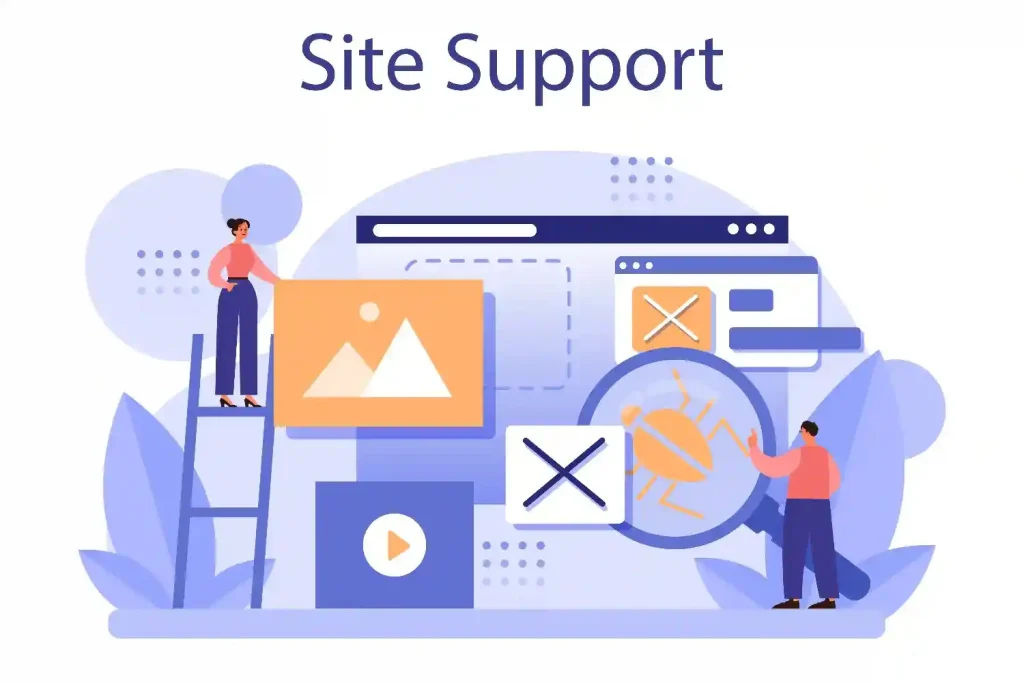
Uptime Monitoring
Uptime monitoring checks whether your website is available to users at all times. The moment your site goes down, alerts notify you so action can be taken immediately. Quick detection reduces how long your site stays offline. This protects traffic, prevents lost sales, and avoids SEO damage caused by extended outages.
Performance and Speed Monitoring
Performance monitoring tracks load times, server response, and Core Web Vitals metrics such as LCP, CLS, and INP. These signals show how fast and stable your pages are for real users.
By spotting slowdowns early, you can fix issues before they affect user experience. Consistent speed monitoring supports stronger rankings and higher engagement.
Security Monitoring
Security monitoring watches for malware, suspicious login activity, and unauthorized file changes. It helps detect threats before they impact site functionality or data integrity.
Security plugins, such as Wordfence provide real-time scanning for malware and unauthorized file changes, forming an essential first line of defense as part of a layered security approach.
Early alerts limit damage and reduce recovery time. Strong security monitoring protects your website, users, and business reputation. Malware removal is a critical part of emergency support and ongoing security monitoring, ensuring infected sites are cleaned and restored quickly to maintain security.
Update and Compatibility Monitoring
Update and compatibility monitoring ensure WordPress core, themes, and plugins function correctly after every change. Many outages happen right after updates due to hidden conflicts or failed processes.
By monitoring updates closely, you catch errors immediately and prevent broken layouts, checkout failures, or admin lockouts. This keeps your site stable even as you continue to improve and scale its functionality.
How to Set Up a Reliable WordPress Monitoring Strategy?
A strong monitoring strategy keeps your site stable before problems grow. Follow these steps to build a system that protects uptime, performance, and security.
- Identify Critical Site Areas: Start by defining what matters most. Track key pages, checkout flows, login areas, server performance, and security layers. Focus on areas that directly impact traffic and revenue.
- Enable Uptime and Performance Tracking: Set up tools that monitor site availability, load speed, and Core Web Vitals. Real-time alerts help you detect downtime or slow performance immediately.
- Monitor Updates and Security: Keep a close watch on WordPress core, plugin, and theme updates. Track failed updates, suspicious activity, and file changes to prevent instability or breaches.
- Prepare an Emergency Response Plan: Define clear steps for recovery if the site goes down. Assign responsibilities, document backup processes, and ensure fast communication during incidents. Support tickets are a key communication channel for resolving urgent issues and ensuring ongoing website maintenance and security.
- Review and Optimize Regularly: Analyze monitoring data often. Identify patterns, fix recurring issues, and improve performance before they impact users or search rankings. Choosing a support plan that matches your support needs, including unlimited support requests, can help catch issues early and prevent larger problems.
What WordPress Emergency Support Covers During a Crisis?
When your site crashes, you cannot afford to wait. Every minute offline means lost traffic, lost sales, and frustrated users. That is why emergency support focuses on fast action and clear solutions.
- Site Down Recovery: First, you identify why the site is offline. Then you restore access quickly so visitors can load pages again without long delays.
- White Screen And Error Fixes: If you see a blank screen or critical error, you fix broken plugins, theme conflicts, or code issues immediately to regain control of the site.
- Malware Cleanup And Security Lockdown: If your site gets hacked, you remove malicious files, secure weak entry points, and strengthen protection to stop further damage.
- Database And Backup Restoration: When files or data are corrupted, you restore clean backups and recover your content safely.
- Emergency Performance Fixes: During traffic spikes or server overload, you stabilize performance fast to prevent slow pages or crashes.
In a crisis, speed matters most. The faster you respond, the less impact it has on rankings, revenue, and customer trust.
Monitoring vs Emergency Support: Why You Need Both
Monitoring and emergency support serve different but connected roles. Monitoring helps you detect problems early. It tracks uptime, performance, security, and updates so you know the moment something goes wrong.

A comprehensive maintenance package should include both automated maintenance tasks and access to expert support services, ensuring your site is proactively managed and issues are resolved quickly.
Emergency support resolves the problem once it happens. It restores access, removes errors, and stabilizes the site quickly. Without monitoring, you may not discover issues in time.
Without emergency support, detected problems can remain unresolved. You need both to reduce risk, protect stability, and keep your WordPress site running consistently.
Signs Your WordPress Site Needs Immediate Monitoring Support
When small issues start appearing often, it usually means your site lacks proper oversight. Ignoring these warning signs can lead to bigger failures, longer downtime, and lost revenue.
- Frequent Downtime: Your site becomes unavailable without warning, even for short periods. Repeated outages damage user trust and can hurt search rankings over time. Site owners managing multiple client sites may need professional plans or higher-tier plans to ensure rapid response and minimize downtime.
- Sudden Traffic Drops: Organic or referral traffic falls sharply without a clear reason. This may point to performance issues, indexing problems, or hidden technical errors.
- Repeated Plugin Errors: Plugins crash, conflict, or break features after updates. Ongoing compatibility problems signal the need for closer monitoring.
- Security Warnings: You notice suspicious login attempts, malware alerts, or blocked access messages. These signs often appear before a serious breach.
- Slow Admin Dashboard: The WordPress backend takes too long to load, making routine tasks harder. This often indicates database or performance issues building in the background.
- Failed Updates: Core, theme, or plugin updates do not complete properly and cause broken layouts or missing features. Monitoring helps catch these failures immediately before they affect users.
Response times for support can vary: basic plans typically offer 24-48 hour response times, while professional plans usually guarantee 2-4 hours, making them essential for urgent support needs.
How WordPress Monitoring Prevents SEO Ranking and Revenue Loss?
WordPress monitoring helps protect your search rankings by keeping your site online, fast, and error free. When your site stays stable, search engines can crawl and index pages without interruptions. This reduces the risk of ranking drops caused by downtime, slow pages, or technical errors.
Stable performance also builds user trust. Visitors are more likely to stay, browse, and complete actions when pages load smoothly and work as expected.
That improves conversion rates and supports consistent revenue. Over time, reliable site stability strengthens brand credibility and creates a foundation for long-term growth instead of short-term recovery.
Conclusion
WordPress site stability does not come from reacting after something breaks. It comes from knowing what is happening on your site at all times and acting fast when issues appear. Monitoring gives you visibility, while emergency support gives you resolution. Together, they reduce risk and protect growth.
When your site stays online, loads smoothly, and remains secure, users trust it more and search engines reward it. A reliable monitoring and emergency support strategy turns site stability into a long-term advantage instead of a constant concern.
FAQs
What does WordPress monitoring include?
WordPress monitoring tracks uptime, performance, security activity, updates, and site health to detect issues as soon as they start.
Can monitoring prevent WordPress downtime completely?
Monitoring cannot prevent every issue, but it helps detect problems early so they are fixed before they cause major outages.
Does monitoring help protect SEO rankings?
Yes. Stable uptime, fast performance, and fewer errors help search engines crawl your site properly and maintain rankings.
Is emergency support needed if backups exist?
Backups help restore data, but emergency support is still needed to identify issues, fix errors, and stabilize the site quickly.
How often should WordPress sites be monitored?
WordPress sites should be monitored continuously. Real-time monitoring is the best way to catch issues before users notice them.