WordPress maintenance for B2B businesses means keeping the site that powers your sales pipeline secure, up to date, and performing at all times. Your site handles demo requests, client logins, CRM connections, and live leads.
According to Patchstack’s 2026 WordPress Security Report, 11,334 vulnerabilities were found in WordPress in 2025 alone, with 91% of them originating from third-party plugins. One missed update puts all of that at risk.
This guide explains what true B2B site maintenance entails, focusing on how updates, backups, security, compliance, and a tailored maintenance plan address the distinct operational needs and sales workflows of B2B sites.
TL;DR
- Website maintenance for B2B businesses goes beyond just updates.
- Your site runs demo requests, client logins, and CRM connections.
- Outdated software is the number one cause of WordPress breaches.
- Regular updates, offsite backups, uptime monitoring, and security scans are non-negotiable.
- B2B sites also need CRM integration checks, access control reviews, and compliance audits.
- A structured maintenance plan with clear frequency prevents most issues before they happen.
WordPress maintenance for B2B businesses includes core and plugin updates, offsite backups, security monitoring, performance optimization, SEO audits, and compliance checks. Unlike B2C sites, B2B maintenance must also cover CRM integrations, lead capture form testing, and uptime SLAs.
Importance of WordPress Care for B2B Businesses
Maintenance is essential for keeping sites well-maintained and protected. It includes performance optimization, software updates, and content management. Regular WordPress maintenance for B2B websites offers numerous benefits, including:
- Security: Keeping your WordPress site updated and secure helps protect against potential cyber threats, including hacking attempts, malware, and data breaches.
- Performance: Regular maintenance improves your site’s speed and user experience. This helps boost customer engagement and conversion.
- SEO Optimization: A well-maintained website ensures that your SEO efforts are not compromised. This can help your site rank better in search engines.
- Business Continuity: Regular backups and security checks ensure your site remains up and running smoothly. This can help minimize downtime and potential revenue loss.
Why Agencies Trust WPTasks for Client Site Maintenance?
Managing WordPress upkeep across multiple B2B client sites is time-consuming. WPTasks works as a white-label service for agencies, covering the ongoing work under your brand so nothing slips through.

A monthly maintenance subscription handles updates, security monitoring, backups, and performance checks. For sites that need development work alongside maintenance, monthly development hour retainers cover custom tasks and ongoing fixes. Hosting support is available where needed.
Hire Dedicated WordPress Developers Today
Get expert assistance with WordPress website maintenance, support services, and development to keep your website secure, fast, and optimized for business growth.
What B2B WordPress Maintenance Actually Covers?
Maintaining a B2B WordPress site goes beyond running occasional updates. These are the core areas that keep your site secure, fast, and working the way your business depends on it.

Keep WordPress Core and Plugins Updated
WordPress releases regular updates to its core software, themes, and plugins to improve functionality, enhance security, and fix bugs.
For a B2B business, outdated WordPress components can expose your site to security vulnerabilities, including SQL injection, brute-force, and other attacks.
- WordPress Core: Auto-update minor versions. For major versions (6.4 to 6.5), test in staging first. B2B sites with custom integrations are most often broken by major core updates.
- Plugins: Prioritize security-critical plugins (contact forms, CRM connectors, membership plugins) for same-week updates. Use WP Activity Log to track what changed so you can roll back specific plugins if a regression appears.
- Themes: If using a child theme, run a visual diff after updating the parent theme in your staging environment.
Set up automatic updates for minor WordPress core updates, but always manually test major updates in a staging environment first.
Create a Staging Environment, Deployment Workflow, and Automated Testing
A staging environment is one of the most overlooked aspects of WordPress website maintenance. A staging site is a safe copy of your WordPress website where you can test plugin updates, theme changes, or design adjustments before pushing them live.
For B2B businesses, this process protects client, ecommerce, and membership sites from unnecessary downtime or functionality issues.
Why staging matters in website maintenance services:
- Risk reduction: Test plugin updates, theme and plugin updates, and custom development without affecting the live site.
- Workflow efficiency: Developers can use a straightforward deployment workflow with speed optimization and website functionality checks before release.
- Peace of mind: Businesses can confidently implement changes, knowing that issues have already been resolved.
Automated testing adds another layer of assurance. With tools and monitoring services in place, you can set up automated scripts to check forms, website speed, security updates, and integrations. This reduces the complexity of manual testing and supports continuous improvement.
For agencies, a strong maintenance plan should always include staging, deployment workflows, and automated testing. It ensures better performance checks and uptime monitoring, and improves customer trust and satisfaction.
Regular Backups
Ongoing maintenance, including regular backups, is one of the most critical components of website maintenance for B2B and other businesses. In case of a disaster such as a hacking attempt, a server crash, or accidental data loss, having a recent backup of your WordPress site ensures that you can quickly restore your content.
- Backup Frequency: B2B websites should schedule daily or weekly backups, depending on the update frequency.
- Backup Storage: Store backups in secure, off-site locations, such as cloud storage services, to ensure they remain accessible even if your hosting server experiences issues.
Security Monitoring and Protection
Security is paramount for B2B businesses that rely on their WordPress websites for client transactions, lead generation, and confidential data storage.

Regularly monitoring security logs and implementing strong protection measures as part of comprehensive maintenance services will safeguard your site from potential security threats.
- Web Application Firewall (WAF): Use a WAF to filter malicious traffic before it can reach your site. Thereby preventing SQL injection, brute-force, and cross-site scripting (XSS) attacks.
- Security Plugins: Install WordPress security plugins such as Wordfence to monitor suspicious activity, limit login attempts, and block known malicious IP addresses.
- SSL Certificate: Ensure your WordPress site uses HTTPS to encrypt data between the browser and the server, especially when handling sensitive customer information.
Optimize Site Speed and Performance
Site performance directly impacts user experience and conversion rates, which are critical for B2B businesses. Optimizing your website’s performance, including site speed and functionality, is essential. Slow-loading websites not only drive visitors away but also hurt your search engine rankings.
- Image Optimization: Use plugins like Smush or ShortPixel to compress images without compromising quality.
- Caching: Implement caching solutions like W3 Total Cache to reduce server load and speed up your website.
- Content Delivery Network (CDN): A CDN serves your website content from geographically distributed servers, improving load times for visitors worldwide.
Database Optimization
Over time, WordPress databases can accumulate unnecessary data such as post revisions, trashed posts, and expired transients. This bloated data can slow down your site’s performance.
- Database Cleanup: Use plugins like WP-Optimize to regularly clean and optimize your database.
- Database Backups: Always back up your database before making any changes, so you can restore it if needed.
Check for Broken Links
Broken links can frustrate visitors and damage your SEO efforts. On B2B websites with numerous pages, broken links are inevitable. Regular checks as part of a scheduled WordPress maintenance plan can help you maintain a smooth user experience and avoid SEO penalties.
- Link Checker Tools: Use tools like Screaming Frog to identify and fix broken links across your site.
- Redirection: If you remove or move a page, ensure proper redirection (301) is in place to avoid 404 errors.
Test Mobile Responsiveness
With mobile traffic continuously growing, your WordPress site must be optimized for mobile devices. Responsive design ensures your site looks and works well on smartphones and tablets.
- Mobile Testing: Test layout, navigation, and forms across iOS Safari, Android Chrome, and desktop browsers at least monthly.
- Page Speed: Mobile users often experience slower internet connections, so optimizing site speed is especially crucial for a smooth mobile browsing experience.
Review User Access and Permissions
B2B websites often have multiple users with different roles and access levels. Quarterly access reviews should be standard practice, especially after employee turnover or contractor offboarding.
- User Roles: Limit access to sensitive areas of the WordPress dashboard to only those who need it, such as administrators and editors.
- Inactive Users: Deactivate accounts for users who no longer need access, such as former employees or contractors.
SEO Audits and Content Updates
Search engine optimization (SEO) is vital for driving organic traffic to your website and improving your search engine ranking. Regular audits help you identify areas for improvement, such as keyword optimization, content updates, and broken links.
- Content Review: Regularly update old blog posts, landing pages, and product descriptions to keep them relevant and accurate.
- SEO Plugins: Use plugins like Rank Math to manage on-page SEO, create sitemaps, and optimize metadata.
- Keyword Research: Stay on top of keyword trends and update your content to target new high-performing keywords.
Monitor Website Analytics
Analytics and support services provide valuable insights into your website’s performance and user behavior.
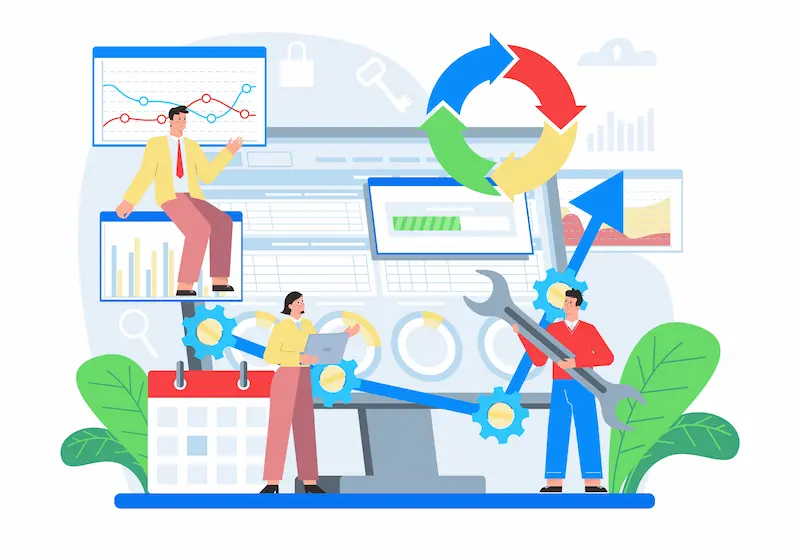
By regularly monitoring your site’s traffic, bounce rate, and conversion rate, you can make informed decisions about future updates and marketing strategies.
- Google Analytics: Set up Google Analytics and regularly review data to identify trends and opportunities for improvement. Tools like MonsterInsights make it easy to manage Google Analytics from within the WordPress dashboard.
- Conversion Tracking: Track key performance indicators (KPIs) like form submissions, e-commerce sales, and demo requests to measure your website’s effectiveness.
Compliance, Data Privacy, and Hosting Requirements
Beyond updates and website backups, modern businesses must also consider compliance and data privacy as part of their website care plan.
B2B websites often handle sensitive data, from client inquiries to ecommerce transactions. Ignoring regulations such as GDPR or SOC 2 can lead to financial penalties and a loss of customer trust.
Key compliance considerations for website maintenance services:
- GDPR Compliance: Ensure cookie consent, data portability options, and secure customer data storage.
- Secure Hosting service: Choose a hosting provider that offers SSL certificates, malware removal, and cloud backups as part of their support services.
- Logging and Auditing: For accountability, maintain records of security scans, plugin settings, website updates, and user access.
- Third-Party Plugins: Always review plugin updates, configurations, and compatibility with compliance requirements.
An effective maintenance plan should integrate compliance into the core of website management. Site care companies and agencies that provide compliance support services gain a significant advantage.
Clients view these maintenance packages as more valuable because they address real business needs, reduce risk, and safeguard their reputations.
Whether you manage enterprise websites, WooCommerce stores, or smaller client websites, incorporating compliance checks into your maintenance and support offerings positions your brand as a trusted service provider.
The result is stronger client relationships, better ROI from website maintenance costs, and peace of mind knowing that your website maintenance activities align with industry standards and best practices.
Creating a WP Maintenance Plan for B2B Businesses
A structured WordPress care plan is what separates reactive firefighting from proactive site management. The goal is simple: nothing gets missed, nothing waits until it breaks.
Start by auditing your site. Document all plugins, themes, your WordPress version, hosting setup, and any third-party integrations. From there, assign a clear frequency to each task and a clear owner.
- Backups: Store offsite daily for active sites, weekly minimum for static ones.
- Updates: Schedule a fixed weekly window. Never update on a Friday.
- Uptime Monitoring: Set up UptimeRobot or Better Uptime with a 1-minute alert.
- Performance Checks: Run monthly audits via PageSpeed Insights or GTmetrix.
- Quarterly Reviews: Cover user access, broken links, GDPR compliance, and SEO.
For scheduling, use whichever tool your team already runs. Google Calendar, Trello, or Asana all work. Plugins like Uncanny Automator can automate certain recurring tasks. The tool matters less than the habit of maintaining WordPress consistently.
Conclusion
For B2B businesses, maintaining a high-performing, secure, and optimized WordPress website is crucial to success. By implementing regular updates, security measures, performance optimization, and regular content reviews, you can ensure that your site supports your business goals and remains a valuable asset in the long run.
Regular website upkeep might seem daunting, but breaking it down into manageable tasks and utilizing the right tools can make the process efficient and hassle-free. If you want to save time and ensure your site is always in top shape, consider partnering with a trusted WordPress maintenance service to handle the heavy lifting.
FAQs on Website Care Plan for B2B Businesses
What is included in typical WordPress maintenance services?
A standard package covers weekly plugin and theme updates, daily or weekly offsite backups, uptime monitoring, monthly security scans, speed audits, and at least one hour of developer time per month. B2B-focused plans add CRM integration checks, contact form testing, and compliance reporting.
How much does WordPress website maintenance cost for businesses?
Basic plans covering updates and backups start around $50 to $150/month. Mid-tier plans with security monitoring and performance optimization run $200 to $500/month. Enterprise B2B plans with SLA guarantees and compliance support typically range from $500 to $2,000/month.
Why do B2B businesses need a site maintenance company?
Partnering with a maintenance agency ensures expert assistance, troubleshooting, edits, and performance checks, which help reduce downtime, improve website speed, and protect client data.
How does compliance factor into website maintenance plans?
To meet client and industry demands, GDPR readiness, data privacy audits, and hosting requirements are increasingly included in website maintenance support.
Can a maintenance plan support ecommerce websites and membership sites?
Yes. WooCommerce and membership sites need additional layers: payment gateway compatibility checks after updates, member data backups, and load testing before campaigns. These require a higher-tier care plan with plugin-specific expertise.