Website maintenance keeps client websites secure, fast, and optimized for performance. Without regular updates, issues such as slow speeds, broken links, and security risks can affect user experience and search rankings. A well-maintained website runs smoothly and supports better engagement.
These issues often build silently and show up when rankings drop or performance declines. Identifying early signs helps prevent major problems and improves site health. Regular maintenance keeps the website stable, reliable, and competitive.
TL;DR: About WordPress Website Maintenance
- Site maintenance keeps sites secure, fast, and optimized for performance.
- Ignoring small issues like slow speeds and broken links can lead to bigger problems.
- Regular checks help prevent security risks and protect website data.
- Well-maintained websites rank better and improve user experience.
- Proactive maintenance reduces costs and ensures long-term stability.
Why Regular Site Maintenance Checks Are Important for Your Clients’ Websites?
Regular website maintenance keeps client websites secure, fast, and reliable. Without consistent updates, performance drops, security risks increase, and search rankings decline. A well-maintained website loads quickly, runs smoothly, and delivers a better user experience, helping reduce bounce rates and improve conversions.
From a technical perspective, updating WordPress core, plugins, and themes helps fix vulnerabilities before they turn into serious security issues. Regular security scans and backups protect data, prevent downtime, and ensure the website remains stable and functional at all times.
Website services also directly impact SEO and long-term costs. Search engines favor websites that are fast, up to date, and error-free, while issues such as broken links, slow speed, and outdated content reduce visibility. Fixing small problems early prevents expensive repairs later and keeps the website optimized for consistent growth.
How WPTasks Can Help You Stay Ahead of Website Issues?
Managing multiple client websites makes it hard to track every issue before it impacts performance or SEO. Without consistent maintenance, problems such as slow performance, broken features, and security risks can quickly affect rankings and user experience.

WPTasks helps prevent this with a monthly maintenance subscription that keeps websites up to date, secure, and running smoothly. Regular checks and fixes ensure these issues don’t recur on your website.
It also offers monthly retainers for WordPress development, including updates and improvements. As a white-label service with hosting support, WPTasks helps agencies deliver reliable results without adding extra workload.
Don’t Let Website Issues Turn Into Bigger Problems
Keep client websites secure, updated, and running smoothly with a monthly maintenance subscription built for agencies.
Signs Your Clients Need More Frequent Website Maintenance
Recognizing early signs of poor site maintenance helps prevent performance issues, security risks, and SEO drops. Small technical problems often go unnoticed but can slowly affect user experience, site speed, and search visibility.
By identifying these warning signs early, you can fix issues before they impact traffic, conversions, and overall website performance. Here are the most important signs to watch.

Increased Website Security Risks and Vulnerabilities
A rise in security issues is one of the clearest signs that a website needs more frequent maintenance. If your client’s website shows malware warnings, unusual login activity, or repeated security alerts, it usually means the site is not properly updated or monitored.
Outdated plugins, themes, and core files create vulnerabilities that hackers can easily exploit. Regular updates, security scans, and firewall protection are essential to keep the website secure, protect user data, and prevent downtime or data breaches.
Declining Website Speed and Performance Issues
A slow website is a strong indicator of poor maintenance. If pages take longer to load or performance scores drop, it directly affects user experience and increases bounce rates. Visitors are more likely to leave before interacting with the content.
Common causes include unoptimized images, excessive plugins, outdated code, and a lack of caching. Regular performance optimization, speed checks, and technical cleanup help maintain fast load times and improve both user engagement and search rankings.
Poor User Experience and Low Engagement
When users struggle to navigate a website or interact with its features, it signals underlying maintenance issues. Problems like broken layouts, slow-loading pages, and non-responsive elements create frustration and reduce engagement.
A poor user experience leads to higher bounce rates, lower session time, and fewer conversions. Regular testing, design updates, and usability improvements ensure the website remains easy to use, accessible, and aligned with user expectations.
Drop in Search Engine Rankings and Organic Traffic
A decline in search rankings often points to technical SEO issues caused by a lack of maintenance. Broken links, outdated content, slow page speed, and indexing errors can all reduce visibility in search results.
Search engines prioritize websites that are fast, up to date, and error-free. Regular SEO audits, content updates, and technical fixes help maintain rankings, improve organic traffic, and keep the website competitive.
Website Functionality Issues and Broken Features
If key features like contact forms, payment gateways, or login systems stop working, it directly impacts business performance. These issues often go unnoticed without regular website checks and testing. Broken functionality affects user trust and can lead to lost leads or failed transactions. Routine testing and maintenance ensure all features work smoothly and deliver a seamless experience across devices.
Increasing Maintenance Costs Due to Neglected Issues
Ignoring small technical issues often leads to larger and more expensive problems over time. What starts as a minor bug or outdated plugin can eventually cause major performance issues or complete website failure.
Fixing these problems later requires more time, effort, and cost compared to regular maintenance. A proactive approach helps control expenses, prevent downtime, and keep the website stable and efficient.
Frequent Technical Errors and Ongoing Support Requests
If clients regularly report issues or need technical support, it is a clear sign that the website is not being maintained properly. Frequent errors indicate deeper problems in performance, security, or functionality.
Consistent maintenance reduces the need for emergency fixes and ensures the website runs smoothly. Monitoring errors, fixing issues early, and maintaining system stability improve overall reliability and client satisfaction.
Learn About: WordPress Maintenance vs Technical Support: What’s the Difference
Keep Your WordPress Site in Top Shape
Let our experts handle your updates, backups, and security checks so your website stays fast, secure, and always up to date.
WordPress Maintenance Checklist
Maintaining a WordPress site is crucial to ensure it remains secure, fast, and user-friendly. Following a structured maintenance routine can prevent problems, enhance performance, and improve the overall user experience. Here’s a detailed checklist for essential WordPress maintenance tasks.
Update WordPress, Themes, and Plugins
Keeping WordPress, themes, and plugins updated is one of the most critical aspects of site maintenance. Updates often include bug fixes, security fixes, and performance improvements. Ignoring updates can leave your website exposed to potential security threats.
Removing unused or outdated plugins and themes is equally essential, as these can slow down your site and pose security risks. To avoid compatibility issues, review and test updates on a staging site before applying them to your live site.
Backup Your Website
A solid backup strategy is essential to protect your website data. Schedule regular automatic backups to ensure you can restore your site in case of a crash, hack, or accidental deletion.
To add an extra layer of security, save backups in multiple locations, such as cloud storage and local drives. Don’t rely solely on automated systems; test your backups periodically to confirm that they work and can be restored without issues.
Read: Why Invest in WordPress Maintenance and Support for Your Website: Top Benefits
Run Security Scans
Web security is a top priority for any WordPress site. Run regular security scans using tools like Wordfence or Sucuri to detect malware, vulnerabilities, and unauthorized activity.
Implement security measures like firewalls and two-factor authentication to strengthen your site’s defenses. Regularly review your security logs and take immediate action to address any threats detected during scans.
Fix Broken Links
Broken links can frustrate users and hurt your search engine rankings. Regularly check your website for broken links using tools such as the Broken Link Checker.
Repair or replace these links to ensure a smooth user experience and maintain SEO performance. Keeping your links up to date also enhances your website’s credibility and professionalism.
Test Website Features
Interactive elements such as contact forms, payment gateways, and subscription forms are critical for functionality and user engagement. Regularly test these features to ensure they work as intended. A malfunctioning feature can lead to a loss of potential leads, sales, or user trust, so include this task in your routine maintenance plan.
Check Site Speed
Site speed is a crucial factor for user experience and search engine rankings. Use tools like Google PageSpeed Insights or GTmetrix to monitor your site’s load times and identify areas for improvement.
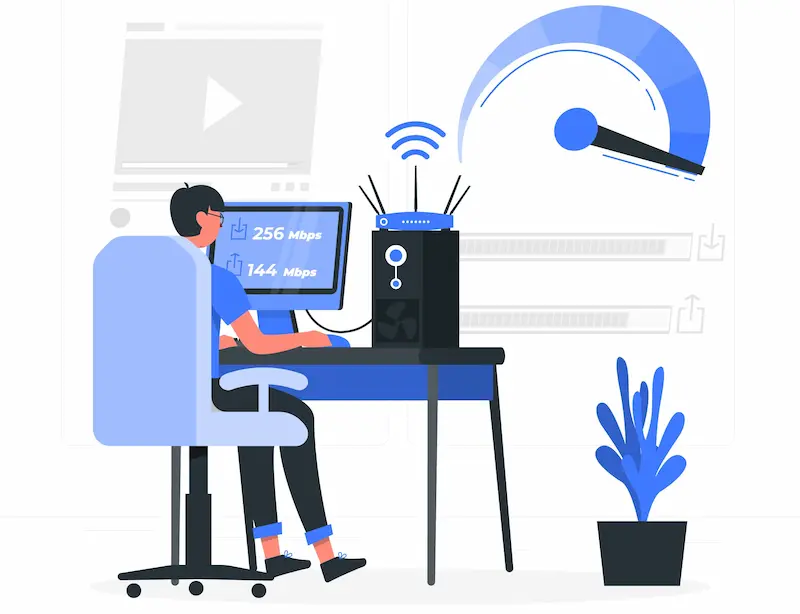
Optimize images, enable caching, and consider using a content delivery network (CDN) to improve load speed. Fast-loading sites retain users longer and rank higher in search engine results.
Read: WordPress Site Health Check: Steps for Monitoring and Maintaining Website Performance
Ensure Mobile and Browser Compatibility
With the growing number of mobile users, your website must function flawlessly on mobile devices and across major browsers. Test your site regularly to ensure all elements load correctly on different screen sizes and browsers. Fix any compatibility issues that might negatively impact the user experience or accessibility.
Delete Unused Features
Unused plugins, themes, and other elements can slow down your site and create security risks. Regularly review your WordPress dashboard to identify and remove outdated or unnecessary features. This helps keep your site streamlined, fast, and secure.
Test Backups and Recovery Plans
Having backups is essential, but they’re only useful if they work. Regularly test your backups to ensure they can be restored quickly and without errors.
This proactive step ensures that you’re prepared for emergencies, such as server crashes or cyberattacks. By following this comprehensive maintenance checklist, you can keep your WordPress site secure, functional, and optimized for success.
Regular attention to these tasks not only prevents issues but also ensures a positive user experience and better search engine rankings. A full-cycle approach ensures that website managers and businesses can rely on a sustainable, cost-effective maintenance plan supporting long-term growth.
Conclusion
Wordsite maintenance is not optional. It directly impacts performance, security, and search rankings. Ignoring small issues like slow speed, broken links, or outdated plugins can lead to bigger problems that affect traffic and conversions.
Regular maintenance helps you identify issues early, improve user experience, and keep the website fast, secure, and error-free. A proactive approach ensures better SEO performance, stable functionality, and long-term growth.
By staying consistent with maintenance checks, you not only prevent costly fixes but also deliver a reliable and high-performing website that supports your clients’ business goals.
FAQs About Website Maintenance Checks
What are the signs a website needs maintenance?
A website needs maintenance if it shows slow loading speed, broken links, security warnings, outdated plugins, or a drop in search rankings. These issues affect performance, user experience, and SEO visibility.
Why is competitor research important before custom WordPress development?
Competitor research helps identify gaps, track trends, and shape marketing strategies so your business website stands out, delivers relevant content, and achieves better search engine rankings.
What tools should I use to monitor website performance?
Essential tools include Google Analytics for traffic and engagement metrics, and Google Search Console for indexing, errors, and site security checks. Together, they provide valuable insights into a website’s health.
Can a site maintenance partner manage multiple websites?
Yes, many maintenance services specialize in managing multiple websites. They create a complete maintenance checklist that ensures each site remains up to date, loads quickly, and delivers a positive customer experience.
What happens if I skip regular updates or security checks?
Ignoring updates and security audits increases the risk of security issues, data loss, and technical problems. In the worst-case scenario, this could lead to downtime, customer losses, or the compromise of important data.