

The WordPress website host plays a critical role in how quickly your site loads, how well it ranks, and how users interact with it. The right hosting can improve website speed, reduce load time, and create a smooth experience, while a poor choice can slow everything down and hurt performance.
If your site feels slow or struggles to handle traffic, your hosting is likely the problem. This guide breaks down the best hosting options for WordPress speed optimization and shows you how to choose a setup that improves performance, stability, and growth.
TL;DR:
- The right WordPress host directly impacts site speed, SEO rankings, and user experience.
- Slow hosting increases load time, bounce rates, and lost conversions.
- Managed and cloud hosting offer better performance than shared hosting.
- Key features like caching, CDN, and SSD storage improve website speed.
- Optimizing the hosting setup improves performance and handles traffic efficiently.
Factors That Affect WordPress Site Speed
The speed of a WordPress website hosting environment directly impacts website performance, user experience, and SEO optimization.

Choosing the right WordPress hosting is essential to minimize delays and ensure smooth operation.
- Hosting Performance as a Key Factor: The right managed hosting solution provides optimized speed, reliability, and security.
- Server Response Time, Bandwidth, and Resources: A powerful web server ensures fast web pages, while limited resources slow down a live site.
- Content Delivery Network (CDN) for Faster Load Times: A CDN improves global site performance by reducing latency for website visitors.
- Caching for Better Performance Optimization: Built-in caching in a WordPress hosting plan optimizes page load times.
- PHP Version and Database Optimization: Keeping your PHP version control up to date ensures compatibility with WordPress themes and plugins.
Know More: Top WordPress Malware Removal Plugins
Types of Website Hosts for WordPress Speed Optimization
Different web hosting providers offer varying levels of speed, control, and scalability. Selecting the right hosting plan ensures optimal performance.
- Shared Hosting: Affordable but limits performance for high-traffic eCommerce sites.
- VPS Hosting: More flexibility, making it ideal for multiple client sites and developers needing SSH access.
- Managed WordPress Hosting: This is best for speed optimization and performance. It provides pre-installed features, one-click staging tools, and hassle-free maintenance for WordPress users.
- Dedicated Hosting: Maximum control, but high cost. This is best for large online stores or resource-intensive premium themes.
- Cloud Hosting: Scalability and speed benefits. Cloud hosting is a great solution for handling traffic spikes and improving site management for global reach.
Read More: How to Create a WordPress Disaster Recovery Plan
Key Features to Look for in a WordPress Website Hosting Provider
The right web hosting service includes performance-enhancing features to keep your live website running smoothly.
- Server locations for faster load times across regions: Strategically placed data centers reduce delays for website visitors.
- Speed-optimized infrastructure (e.g., SSD storage, HTTP/2 support): Improves site security connections and speeds up WordPress platform operations.
- Built-in caching solutions (e.g., Varnish, Redis): Enhance WordPress themes and plugin performance.
- Automatic backups and security features that don’t impact site speed: Helps protect against security threats, malicious traffic, and downtime.
- Content delivery network (CDN) integration for improved site performance: Ensures smooth content delivery for multiple sites and eCommerce websites.
Choosing a managed WordPress hosting plan with these features will ensure a hassle-free experience, whether you’re running a self-hosted WordPress site, an online store, or a custom domain setup.
Check Out: WooCommerce Store Optimization Services
How Can WPTasks Help You Improve WordPress Performance?
Optimizing WordPress speed across hosting, performance, and updates can become complex, especially when managing multiple websites. You need a system that ensures your site stays fast and optimized without constant manual effort.

WPTasks provides that structure with a subscription-based model. You get monthly development-hour retainers for performance improvements, fixes, and optimization tasks, along with a monthly maintenance subscription that keeps your site updated, secure, and stable. With hosting support and a dedicated team, your WordPress site stays fast, reliable, and ready to scale without performance issues.
Need Faster Load Times for Your Website?
Choosing the best host is only one part of better performance. Expert WordPress speed optimization can help you improve load times, Core Web Vitals, and user experience.
Best Website Host for WordPress Site Speed Optimization
Choosing the right web hosting provider is crucial to maintaining a fast, reliable WordPress website.
Whether you’re a WordPress developer, an eCommerce business owner, or managing multiple client sites, selecting a high-performance WordPress hosting plan can significantly enhance your site’s speed, security, and overall performance.
Here’s a closer look at some of the best hosting for WordPress.
DreamHost
DreamHost is a trusted name in the web hosting industry, known for affordability and reliability. It offers a free domain name with annual plans, free WordPress installation in just a few clicks, and SSD storage for high-speed performance.

With unlimited bandwidth, a free SSL certificate, and 24/7 customer support, DreamHost is an excellent choice for beginners and small businesses. It also supports WP-CLI, making it an excellent option for developers who prefer command-line management.
WP Engine
WP Engine is a premium managed WordPress hosting plan that delivers top-tier performance, security, and scalability. It has built-in caching and a CDN to enhance web page load speeds, automated backups, and advanced malware protection to keep your live site secure. It also supports multiple client sites, making it ideal for agencies and businesses.
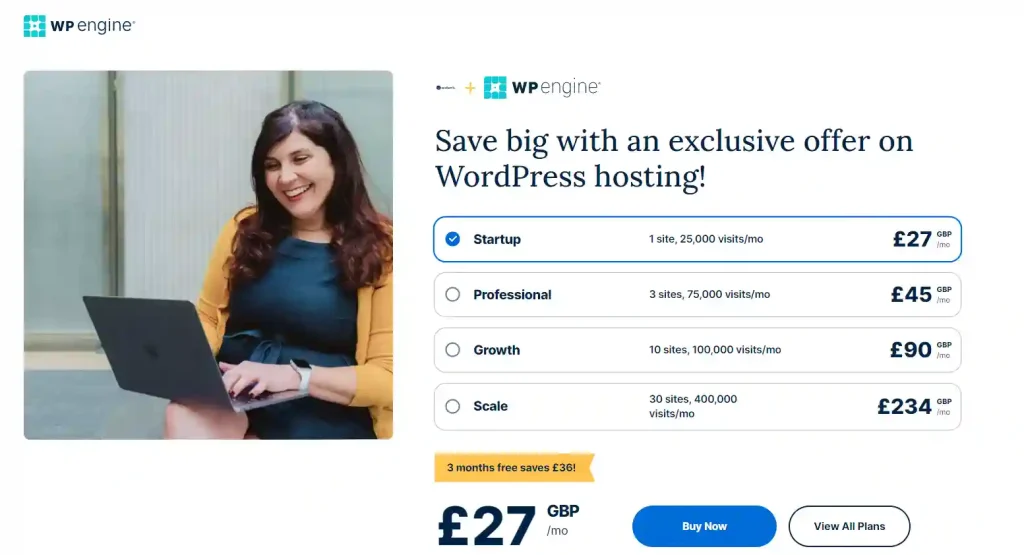
With open-source software compatibility and technical expertise required for advanced features, WP Engine is an excellent choice for large-scale websites that demand enterprise-level hosting.
Kinsta
Kinsta leverages Google Cloud infrastructure to deliver an ultra-fast, highly scalable web hosting solution. Its automatic free WordPress installation, one-click staging tools, and multiple data center locations ensure optimal performance and security.
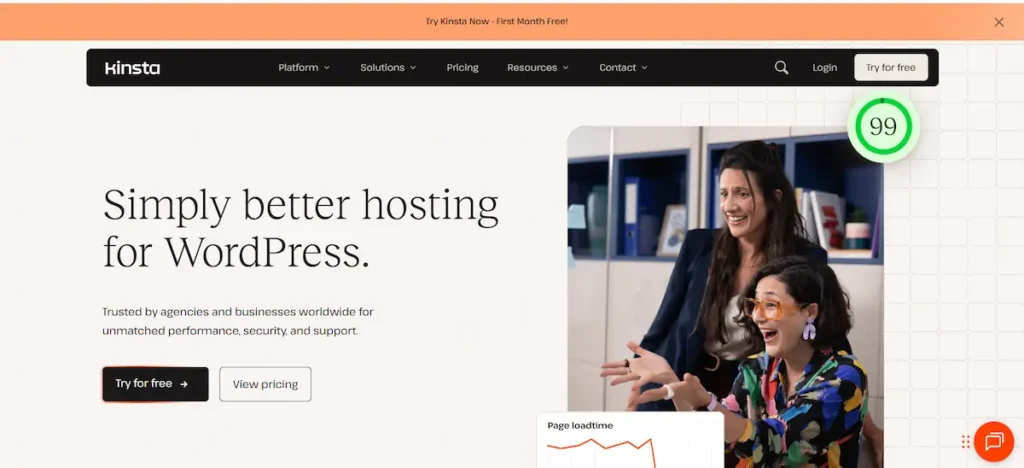
Developers can use WP-CLI, SSH, and Git integration, making it a perfect fit for technical users. Kinsta’s managed hosting environment helps businesses maintain site security while delivering exceptional speed and uptime.
Hostinger
Hostinger is a budget-friendly yet performance-driven web hosting service, perfect for WordPress users who want affordability without compromising speed.

It offers a free domain name, SSD storage, and a user-friendly dashboard for hassle-free site management. With just a few clicks, users can install WordPress and get their site up and running quickly. Hostinger also provides built-in caching and security threats protection, making it a solid choice for small businesses and personal blogs.
Pressable
Pressable is a specialized managed hosting provider tailored for WordPress experts and growing businesses. It offers free SSL certificates, on-demand backups, and advanced caching to ensure a fast and secure site experience.
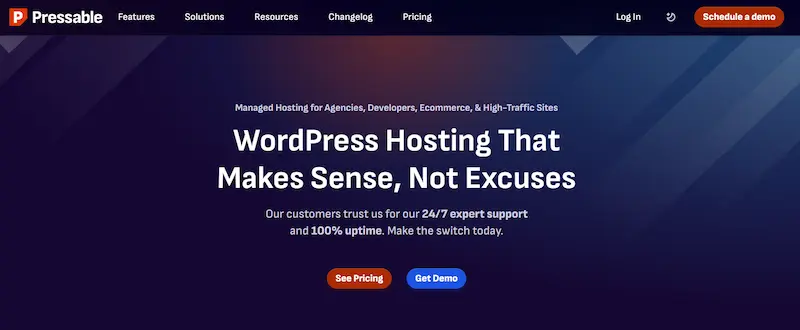
With optimized contact forms, easy collaboration tools, and seamless scalability, Pressable is a great option for businesses that need a reliable content management system with strong performance.
GreenGeeks
GreenGeeks stands out as an eco-friendly web hosting provider that balances sustainability with speed. It offers free WordPress, domain registration, and developer-friendly features such as SSH access and WP-CLI.

With fast SSD storage and global data center locations, GreenGeeks ensures quick load times and minimal downtime. Its robust security features also help protect against malicious traffic and other security threats.
Hosting.com
Hosting.com is known for its high-speed hosting solutions, making it a top choice for eCommerce websites, blogs, and professional portfolios.

With support for multiple sites, built-in caching, and developer-friendly features like pre-installed WordPress and technical expertise required for custom configurations, Hosting.com ensures fast page speeds. It also provides free themes, a custom domain, and seamless scalability for growing websites.
Pressidium
Pressidium is a performance-driven WordPress hosting plan offering enterprise-grade security and optimization. It includes a fully managed environment, automated on-demand backups, and one-click staging tools for easy testing and deployment.

With built-in DDoS protection and high-speed caching, Pressidium is a perfect choice for businesses requiring high uptime and site management without worrying about security threats.
Convesio
Convesio is a cutting-edge web hosting provider designed for scalability and high availability. It offers container-based hosting, ensuring that eCommerce sites and high-traffic blogs maintain consistent performance.
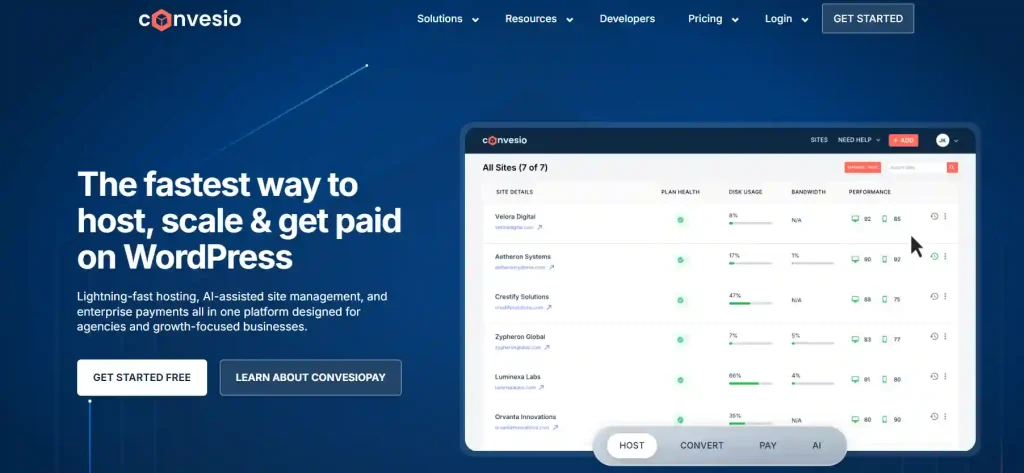
With automatic scaling, free domain integration, and easy WordPress platform management, Convesio is perfect for growing businesses that need a reliable, self-healing infrastructure.
HostArmada
HostArmada is a relatively new yet powerful WordPress hosting provider that offers cloud hosting plans with speed and security at the forefront.

It provides a free domain name, on-demand backups, and a content management system optimized for performance. Users can set up their live website with just a few clicks while benefiting from enhanced security and round-the-clock customer support.
Keep Reading: Is WordPress Free to Use
How to Optimize WordPress Speed with Your Website Host?
Optimizing WordPress speed starts with using your hosting setup effectively. The right configurations and tools can reduce load time, improve performance, and handle traffic more efficiently. Here are the most effective ways to improve your website’s speed with your hosting provider.
Caching: Leveraging Built-in Caching Tools to Boost Performance
Caching is one of the most effective ways to improve your website’s performance. Many managed hosting providers offer built-in caching solutions, including object caching, full-page caching, and opcode caching.
These significantly reduce server response time, allowing web pages to load faster. If you’re using a self-hosted WordPress site, caching plugins like WP Rocket or W3 Total Cache can help optimize speed further.
Image Optimization: Reducing Image Size Without Losing Quality
Large image files slow down your live website and increase bandwidth usage. Most WordPress hosting plans include built-in image optimization tools, while others support third-party solutions like Smush, Imagify, or ShortPixel.
These tools compress images without compromising quality, ensuring a faster-loading site while maintaining visual appeal.
Minification: Reducing File Sizes for CSS, JavaScript, and HTML
Minification removes unnecessary characters from CSS, JavaScript, and HTML files, reducing file sizes and improving load times. Many managed WordPress hosting plans include automatic minification tools, but plugins like Autoptimize and WP Super Minify can also help reduce code bloat and improve site performance.
Database Optimization: Cleaning Up and Optimizing Your WordPress Database
Over time, WordPress databases accumulate unnecessary data such as post revisions, spam comments, and expired transients.
Regular database optimization reduces load time and improves efficiency. Hosting providers with on-demand backups often include database cleaning tools, but WP-Optimize and Advanced Database Cleaner are excellent third-party alternatives for maintaining a streamlined database.
Using a CDN to Reduce Load Times Globally
A Content Delivery Network (CDN) distributes your web pages across multiple data centers worldwide, allowing visitors to access your site from the nearest server location. This significantly reduces latency and improves load speed.
Final Reading: WooCommerce Maintenance Costs
Impact of Hosting Support and Expertise on WordPress Speed Optimization
Choosing the fastest WordPress hosting provider goes beyond server specs; the quality of the hosting support team directly influences website speed optimization. Expert guidance ensures your site runs smoothly, even when managing advanced caching, plugins, or high traffic.
How Hosting Support Enhances Website Speed:
- 24/7 Live Chat Assistance: Hosting companies like Kinsta and Pressable provide round-the-clock support, helping troubleshoot plugin conflicts or server configuration issues that could slow down your WordPress site.
- WordPress-Specific Expertise: A knowledgeable support team can recommend the best WordPress speed plugins, manage core updates, and optimize caching plugins like WP Rocket to boost performance.
- Proactive Performance Monitoring: Support teams often monitor your hosting server for bottlenecks, suggesting adjustments to database queries, CSS, and JavaScript minification, or staging site optimizations.
- Guidance for Advanced Caching Techniques: Assistance with browser caching, server-side caching, and global CDN configuration ensures identical WordPress sites load quickly for all users.
- Seamless Migration and Setup: Free site migration and optimized hosting accounts from managed hosting providers guarantee your first WordPress website or high-traffic blog maintains optimal website loading speed.
Advanced Server Technologies for Next-Level WordPress Speed
Modern hosting platforms leverage emerging server technologies to deliver unmatched WordPress performance. Understanding how LiteSpeed, NGINX, or HTTP/3 works can help web developers, bloggers, and eCommerce owners optimize their site’s speed and improve core web vitals.
How Advanced Server Technologies Improve Speed:
- LiteSpeed Web Server: This server delivers content faster than traditional Apache servers and integrates with caching plugins like WP Rocket to maximize website speed.
- NGINX-Based Architecture: Handles multiple concurrent requests efficiently, reducing latency and improving load times for high-traffic sites or eCommerce platforms.
- HTTP/3 Support: Modern protocols enable faster communication between the browser and the hosting server, resulting in smoother performance and a better user experience.
- Optimized Hosting Platforms: Providers such as A2 Hosting and HostArmada combine SSD storage, a global CDN, and advanced caching to improve WordPress hosting speed across all sites.
- Enhanced Plugin and Theme Compatibility: This feature ensures that WordPress plugins, themes, and core updates operate seamlessly without slowing down the site, improving search results and core web vitals.
Conclusion
Choosing the right web hosting service plays a major role in optimizing WordPress website hosting speed. A well-optimized host with features like caching, CDN integration, and database optimization ensures a seamless user experience and higher search engine rankings.
When selecting a WordPress hosting plan, consider key factors such as server speed, built-in site management tools, and security threat protection. Whether you need an affordable hosting plan for a small blog or an advanced cloud hosting plan for a high-traffic eCommerce website, your hosting choice should align with your business needs.
FAQs on Website Host for WordPress
What makes a web host suitable for WordPress speed optimization?
A good WordPress hosting provider ensures fast site speed through a range of performance optimizations. Key factors include SSD storage for quick data retrieval, built-in caching mechanisms to reduce server load, and a global Content Delivery Network (CDN) for faster page loads.
Can shared hosting offer good speed for WordPress sites?
Shared hosting is the most affordable web hosting service, but it comes with resource limitations. Since multiple websites share the same server resources, speed and performance can fluctuate based on traffic spikes from other users.
How does a Content Delivery Network (CDN) help with WordPress site speed?
A CDN (Content Delivery Network) distributes copies of your web pages across multiple global data centers. When visitors access your site, the CDN delivers content from the server closest to them, reducing latency and speeding up load times. This benefits eCommerce sites and high-traffic WordPress platforms, where fast-loading pages enhance user experience and search engine rankings.
How can managed hosting and expert support improve the speed of my WordPress website?
Managed hosting providers with a user-friendly interface and knowledgeable support can optimize your WordPress core, configure caching plugins like WP Rocket, and recommend the best WordPress speed plugins. This ensures better performance, improved core web vitals, and smooth website optimization even for high-traffic sites.
Which server platforms or technologies deliver the fastest WordPress hosting?
Hosting companies that use advanced platforms such as Google Cloud Platform, LiteSpeed, or NGINX offer faster content delivery, reduced latency, and compatibility with popular WordPress themes and plugins. Pairing these with affordable plans and free plugin support enhances overall website performance and ensures WordPress websites load quickly.


